
How much data does a speed test use on a travel eSIM?
A speed test is the first thing many travellers run after switching on a new eSIM. It is also one of the most data-hungry minutes of the day, and the faster the line, the more it costs.
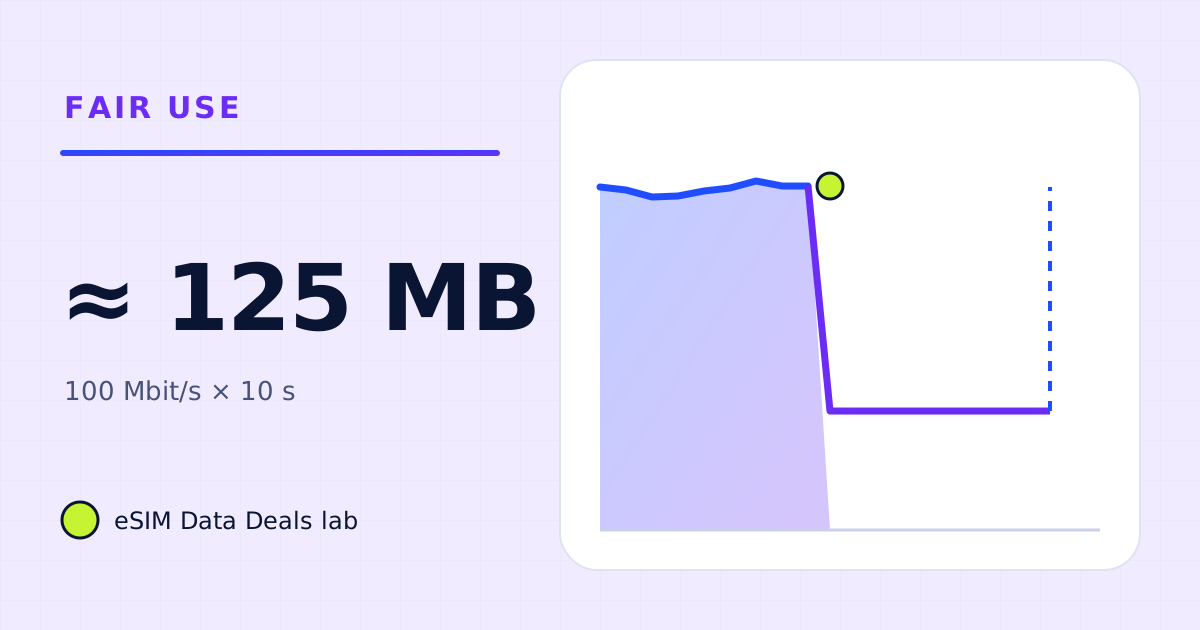
A speed test moves as much data as the line allows for several seconds in each direction, so its cost grows with the speed. As arithmetic, 10 seconds of download at 100 Mbit/s is 125 MB; at 500 Mbit/s on 5G, 625 MB. Upload adds more. On a small or daily-cap plan, load a web page or check latency instead.
- Formula
- Mbit/s × seconds ÷ 8 = MB
- 100 Mbit/s, 10 s
- ≈ 125 MB
- 500 Mbit/s, 10 s
- ≈ 625 MB
- 20 Mbit/s upload, 10 s
- ≈ 25 MB
- After a cap
- measures the cap, uses little
- Cheaper check
- page load or latency test
On this page
Why does a speed test use so much?
A speed test measures throughput by filling the line. It downloads data from a nearby server as fast as the connection allows for a few seconds, then does the same in the upload direction, and reports the rate. The data volume is simply speed multiplied by time, so a faster line moves more data in the same test.
The arithmetic needs one conversion: speeds are in megabits per second, plans are in megabytes, and there are 8 bits in a byte.
Data used (MB) = speed (Mbit/s) × seconds ÷ 8. So 100 Mbit/s for 10 seconds is 1,000 Mbit, or 125 MB.
| Download speed | 10 s of download | Plus 10 s of upload at 20% of that speed | Test total |
|---|---|---|---|
| 10 Mbit/s | 12.5 MB | 2.5 MB | ≈ 15 MB |
| 25 Mbit/s | 31 MB | 6 MB | ≈ 37 MB |
| 50 Mbit/s | 62.5 MB | 12.5 MB | ≈ 75 MB |
| 100 Mbit/s | 125 MB | 25 MB | ≈ 150 MB |
| 300 Mbit/s | 375 MB | 75 MB | ≈ 450 MB |
| 500 Mbit/s | 625 MB | 125 MB | ≈ 750 MB |
On a fast 5G line, one full test can use as much data as one to several hours of social video. Run three to compare places and you can spend a couple of gigabytes before breakfast.
What happens to a speed test after a daily cap?
It uses very little and tells you only one thing: the capped speed. At 256 kbit/s, ten seconds of download is about 0.3 MB. If the result is a steady low number everywhere you go, that is the cap, not the network. The slow-line guide shows how to tell a cap from congestion or weak signal.
When is a speed test worth it?
- Before a video call that matters, on a plan with room to spare.
- When something is clearly wrong and you want a number for support.
- When choosing where to work for a day, once per place.
It is not worth it as a habit on a small plan, or to admire a 5G result. The 5G icon guide explains why the icon alone says little about speed.
What are cheaper ways to check the line?
| Check | Data used | What it tells you |
|---|---|---|
| Open a text-heavy page (timetable, news text) | well under 1 MB | The line works and responds |
| Send a message and wait for the tick | a few KB | Messaging works |
| Latency-only check (ping) | a few KB | Response time, not throughput |
| Play 30 seconds of low-quality video | a few MB | Whether video will run |
| Full speed test | tens to hundreds of MB | Throughput in both directions |
For most travel decisions (can I call, can I navigate, can I stream), the light checks answer the question for a tiny fraction of the data.
Does a speed test on a laptop use more?
It can. A laptop on a hotspot may run a longer or multi-connection test, and its browser test page itself is heavier. The volume follows the same formula: speed × seconds ÷ 8. Running tests from both the phone and the laptop doubles the cost.
How should a speed test fit in a data budget?
Treat it as an item, like an app update: one full test on arrival is a reasonable allowance on most plans, and a few hundred MB across a trip covers occasional checks. If your plan is 1–3 GB, use the light checks instead and save the allowance for the things you came to do.
Why do results vary so much on a trip?
Because mobile speed depends on the signal where you stand, how busy the cell is, the network type, and the plan's own terms. A test at a busy airport at noon and the same test in a quiet hotel room at night can differ several times over. One test is a snapshot, which is another reason not to spend gigabytes chasing a number.
What about the speed test on arrival?
The first test after landing is the one most people run, often in the airport. It is also the least useful: airports are busy cells, and the result says little about the line at your hotel. A better first check is practical. Open a map, send a message saying you have landed, and load one web page. If all three work, the line is fine. If one fails, the problem is usually a setting (the data line or data roaming for the travel eSIM) rather than speed, and a speed test won't fix it.
How much of a daily cap can tests use?
As example arithmetic on a plan with 1 GB of full-speed data a day: on a 100 Mbit/s line, one full test at about 150 MB is 15% of the day; three tests are nearly half. On a 300 Mbit/s 5G line, two tests at about 450 MB each would use almost the whole day's full-speed amount. That is why the light checks above are the better habit on daily-cap plans.
Do speed tests on other people's devices count?
Yes, if they are on your hotspot. A friend running a test on a laptop connected to your phone spends your plan by the same formula. If you share a hotspot, agree that speed tests are for real problems only, and use one device to run them.
Frequently asked questions
Does a speed test count against my data?
Yes. Every byte the test downloads and uploads crosses the mobile network and counts against the plan, like any other download.
Why did one test use hundreds of MB?
Because the line was fast. A test runs as fast as it can for a set time, so a 5G line at hundreds of Mbit/s moves hundreds of MB in a few seconds.
Is it safe to run a speed test on a daily-cap plan?
It spends part of today's full-speed amount. One test is usually fine; repeated tests can use a meaningful share of a 1 GB daily amount.
How can I check the line without a full test?
Open a text-heavy web page, send a message, or use a latency-only check. If those are quick, the line is working; save the full test for a real problem.
Got your number? Match it to a plan
On TripoSIM, choose your destination and compare total GB, validity, any daily full-speed amount and the Hotspot badge on each plan card.
We take data figures from the app makers' own help pages where they publish one, convert published bitrates with kbit/s × 0.45 = MB per hour, and label every planning assumption. We don't run paid reviews or publish prices. Editorial policy · How we get our figures · Who owns this site
Sources and how we checked
- TripoSIM help centre (FAQ)
- Apple Support: Use cellular data on your iPhone or iPad
- Pixel Phone Help: Reduce and manage mobile data usage
- Apple Support: Use 5G with your iPhone
Figures were read from these pages on 7 November 2026. Apps change their settings and rates; if a number here disagrees with the app on your phone, trust your phone's own data counter. See how we get our figures.
Related reads
Is my eSIM throttled, or is the network just busy?
A 7-step check to tell a fair-use slowdown from network congestion or weak signal on a travel eSIM, without wasting data on repeated speed tests.
Read the guide →
5G icon but slow travel internet? A troubleshooting guide
Why network generation, signal strength, plan caps and congestion are different variables.
Read the guide →
What happens when your travel eSIM data runs out?
When a travel eSIM's data or validity ends, the connection stops; on daily-cap plans the speed drops. What still works, how to top up, what to avoid.
Read the guide →
Unlimited travel eSIMs: daily full-speed cap versus usable data
The difference between marketing language, high-speed allowance, slowdown policy and hotspot entitlements.
Read the guide →