
How much data do a smartwatch and a tablet use when you travel?
The extra devices in a travel bag rarely have their own travel data. Most borrow the phone's, either quietly through a pairing or openly through a hotspot. That is why they belong in the data budget.
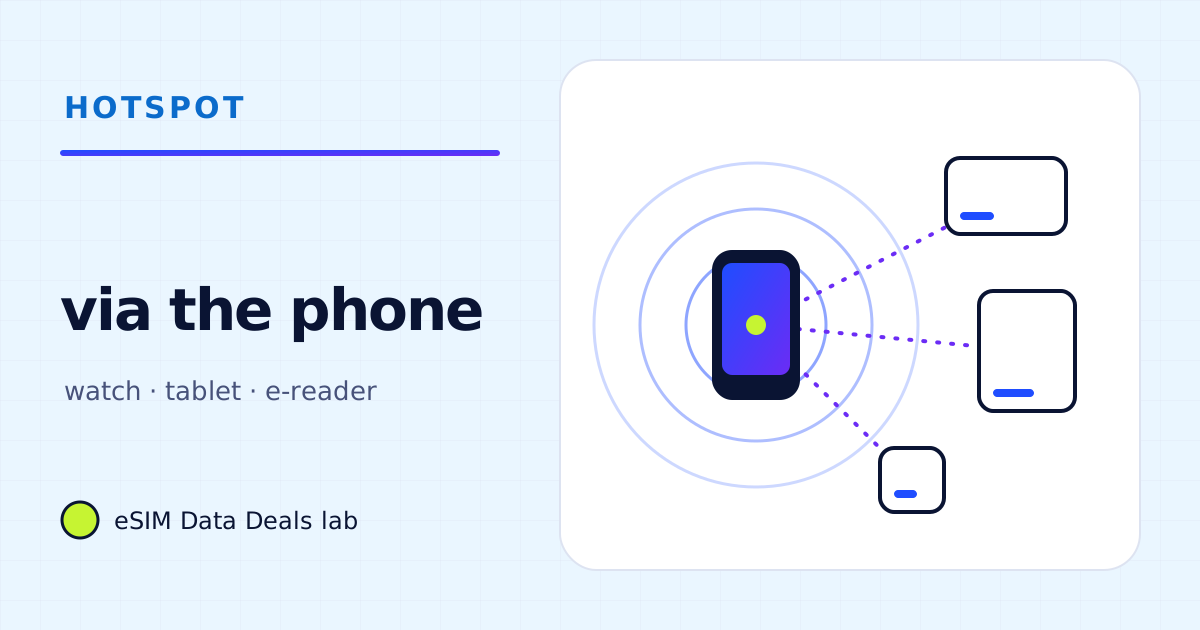
A smartwatch paired with a phone usually reaches the internet through the phone, so its notifications, weather and music come out of the phone's data. A Wi-Fi tablet uses the phone's hotspot and spends the same allowance, often faster because of the big screen. A tablet with eSIM support can take its own travel plan instead.
- Paired watch
- uses the phone's connection nearby
- Watch notifications
- small
- Watch music streaming
- like phone music, ≈ 11–144 MB/h
- Wi-Fi tablet
- phone hotspot, same allowance
- Tablet video
- bigger screen, often higher quality
- Tablet with eSIM
- can take its own travel plan
On this page
Whose data does each device use?
| Device | Usual connection on a trip | Uses your travel plan? |
|---|---|---|
| Smartwatch, paired, near the phone | Through the phone (Bluetooth or Wi-Fi to the phone) | Yes, via the phone's data line |
| Cellular smartwatch, away from the phone | Its own plan from your home carrier | No; ask your carrier about use abroad |
| Wi-Fi-only tablet | Hotel Wi-Fi or the phone's hotspot | Yes, when on the hotspot |
| Cellular tablet with eSIM | Its own travel eSIM, or the hotspot | Its own plan, or yours on the hotspot |
| E-reader | Wi-Fi for downloads | Only if you put it on the hotspot |
| Laptop | Hotel Wi-Fi or the phone's hotspot | Yes, on the hotspot; see the laptop guide |
The pattern is that almost everything eventually leans on the phone. A travel plan sized only for the phone can be short once the watch, the tablet and the laptop have joined in.
How much data does a smartwatch use?
Very little for its everyday jobs. Notifications, weather, step counts and calendar alerts are small, frequent updates. The heavier watch uses are the ones you choose:
- Streaming music or podcasts on the watch uses the same kind of data as on the phone; Spotify's published bitrates convert to about 11–144 MB an hour depending on quality.
- Maps and directions on the wrist use the phone's navigation data, about 5–10 MB an hour by TripoSIM's figure.
- Watch app and system updates can be sizeable; let them run on Wi-Fi before you leave.
Watch traffic usually shows inside the phone's own data counters rather than separately, so it is easy to miss. If the phone's use looks high and nothing obvious explains it, check whether the watch is streaming music during runs.
What about a cellular watch abroad?
A cellular watch has its own mobile plan linked to your home number, provided by your home carrier. Whether it works abroad, and at what cost, is up to that carrier; ask them before relying on it. A travel eSIM installed on your phone doesn't extend to the watch's own cellular connection. Near the phone, the watch can use the phone's connection as usual, which is the simplest way to keep it working on a trip.
How much data does a tablet use?
A tablet uses data like a phone with a bigger appetite. Browsing and messaging are similar; video is where it differs. Streaming apps choose quality to suit the screen and connection, so a tablet on a strong hotspot often streams at a higher setting than the phone would. Netflix's published figures show the range: about 0.3 GB an hour at Low, up to 0.7 GB at Medium and up to 3 GB at HD.
Two hours of HD on a tablet can use more than a week of a light traveller's phone data. Downloading shows on hotel Wi-Fi, or choosing a lower quality in the app's settings, keeps the tablet from deciding the plan size.
Should the tablet get its own travel eSIM?
If the tablet supports eSIM, its own plan has three advantages: it works when the phone isn't nearby, it doesn't drain the phone's battery through a hotspot, and it keeps the phone's allowance for the phone. It suits families where a child uses the tablet in the back of a car, or anyone who works on a tablet. If the tablet is only used in the evening at the hotel, Wi-Fi or a hotspot is enough.
Before buying, check that the exact model supports eSIM. TripoSIM keeps a device compatibility page for that.
What about children's tablets and games?
Games are often light once installed, but downloads and updates are large, and many games stream video adverts or cut-scenes. Install and update games on Wi-Fi before the trip, turn off automatic app updates on mobile data, and use the tablet's parental or screen-time settings to keep video apps for Wi-Fi. Our mobile gaming guide covers what to measure.
Do e-readers and headphones count?
E-readers use data only when they download books or sync your place, and most do that on Wi-Fi. Wireless headphones and earbuds don't use data at all; whatever you hear is streamed or played by the phone, so it counts as phone data. Fitness trackers sync through their phone app, which is a small amount.
How do I budget the extra devices?
Add each device as its own line in the estimate, then add the lines together. As example arithmetic for a week, with our own planning assumptions:
| Device | Assumed use | One week |
|---|---|---|
| Paired watch, notifications and weather | a few MB a day (assumption) | ≈ 20–50 MB |
| Watch streaming music on a daily 1-hour run | Spotify Normal, 43 MB/h | ≈ 0.3 GB |
| Tablet on the hotspot, 1 h of Netflix Low each evening | up to 0.3 GB/h | ≈ 2.1 GB |
| Same tablet with shows downloaded on Wi-Fi | none | ≈ 0 |
The tablet line is the one that moves the plan size, and it is also the one that downloads can remove entirely. The calculator lets you add these hours to your own.
Frequently asked questions
Does my smartwatch use my travel eSIM's data?
When it is paired and near your phone, it usually reaches the internet through the phone, so yes, through whichever line the phone uses for data. A cellular watch's own plan comes from your home carrier, which decides whether it works abroad.
Can I put a travel eSIM on a cellular tablet?
Many cellular tablets support eSIM and can take their own travel data plan. Check the model on the provider's compatibility list before buying.
Why does the tablet use more data than my phone for video?
Streaming apps pick a quality to suit the screen and the connection; on a big screen and a fast hotspot, automatic quality often goes up. Set a lower quality or download before you go.
Does an e-reader use much data?
Very little once books are downloaded. Downloading a text-only book is small; comics, magazines and audiobooks are larger. Do the downloads on Wi-Fi.
Got your number? Match it to a plan
On TripoSIM, choose your destination and compare total GB, validity, any daily full-speed amount and the Hotspot badge on each plan card.
We take data figures from the app makers' own help pages where they publish one, convert published bitrates with kbit/s × 0.45 = MB per hour, and label every planning assumption. We don't run paid reviews or publish prices. Editorial policy · How we get our figures · Who owns this site
Sources and how we checked
- TripoSIM: device compatibility
- TripoSIM help centre (FAQ)
- Apple Support: How to set up a Personal Hotspot on your iPhone or iPad
- Android Help: Share a mobile connection by hotspot or tethering
- Netflix Help Center: How to control how much data Netflix uses
- Spotify Support: Audio quality
Figures were read from these pages on 7 November 2026. Apps change their settings and rates; if a number here disagrees with the app on your phone, trust your phone's own data counter. See how we get our figures.
Related reads
Can you use a hotspot on a travel eSIM? What to check before you buy
Many travel eSIM plans allow hotspot and tethering, some don't. How to tell before buying, how to switch it on, what it does to your data, and fixes.
Read the guide →
How much data does a laptop use per hour? A task-by-task table
Per-hour data for laptop tasks on a phone hotspot: email and documents, audio and video meetings, streaming and sync, plus example workdays you can copy.
Read the guide →Family devices and hotspot overhead
Open →
How much data does streaming video use per hour?
How much data an hour of Netflix or YouTube uses at each quality setting, what the published figures mean on a phone, and how to cut it on a travel eSIM.
Read the guide →