
How much data do CarPlay and Android Auto use on a road trip?
The car screen is just a window onto your phone. Every map tile and every song streams over your phone's data line, so a road trip budget is a maps-plus-audio budget.
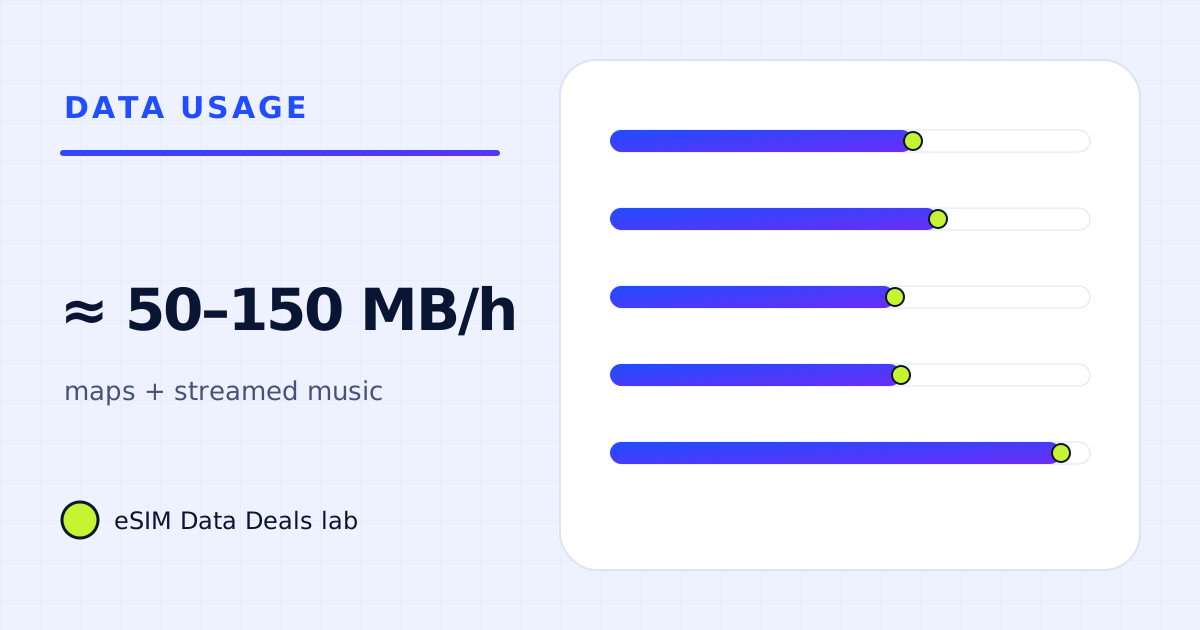
CarPlay and Android Auto use your phone's mobile data for whatever apps you run. Navigation is about 5–10 MB an hour (TripoSIM's figure) and streamed music 43–144 MB an hour by Spotify's bitrates, so a typical hour is roughly 50–150 MB. Offline maps and downloaded playlists cut a driving day to very little.
- Navigation
- ≈ 5–10 MB/h (TripoSIM)
- Music, Normal
- ≈ 43 MB/h
- Music, Very high
- ≈ 144 MB/h
- Typical hour
- ≈ 50–150 MB
- Wireless CarPlay link
- local Wi-Fi to the car, not mobile data
- Biggest saver
- downloaded playlists + offline maps
On this page
Whose data does CarPlay or Android Auto use?
Your phone's. CarPlay and Android Auto project apps from the phone onto the car's screen. The phone does the work and the phone's data line carries the traffic: map tiles, traffic information, streamed music, podcasts, messages read aloud. If your travel eSIM is the phone's data line, that is where the road trip data goes.
The link between phone and car is a separate matter. Wired CarPlay uses the cable; wireless CarPlay and wireless Android Auto use a direct local connection to the car. That local link doesn't use mobile data.
How much data does an hour of driving use?
| Driving with | Per hour | Source |
|---|---|---|
| Navigation only | ≈ 5–10 MB | TripoSIM help centre |
| Navigation + Spotify Low | ≈ 16–21 MB | Spotify 24 kbit/s × 0.45 |
| Navigation + Spotify Normal or a podcast | ≈ 48–53 MB | Spotify 96 kbit/s × 0.45 |
| Navigation + Spotify High | ≈ 77–82 MB | Spotify 160 kbit/s × 0.45 |
| Navigation + Spotify Very high | ≈ 149–154 MB | Spotify 320 kbit/s × 0.45 |
| Navigation + downloaded music | ≈ 5–10 MB | Downloads use no travel data |
Audio, not navigation, decides a road trip budget. A week of 6-hour driving days with streamed music at Normal is about 2.3 GB; at Very high, over 6 GB. With downloads, the same week can be a few hundred MB.
How do I prepare the phone for a road trip?
- Download offline maps for the whole route on Wi-Fi. Google notes downloaded areas expire and need updating, and that the app can update them on Wi-Fi; turn that on.
- Download playlists and podcast episodes on Wi-Fi, and turn off streaming of new episodes on mobile data.
- Set your music app's cellular quality to Normal or lower if you stream. The difference between Normal and Very high is more than three times the data.
- Make the travel eSIM the data line before you set off, so CarPlay or Android Auto uses it from the first kilometre.
What if passengers use the phone's hotspot?
Then the car becomes a living room. A tablet in the back streaming a cartoon at Netflix's Low setting is up to 0.3 GB an hour; on Automatic or HD, far more. Two passengers each watching video for a few hours a day will dwarf everything CarPlay uses. Download shows on Wi-Fi the night before, and check the plan allows hotspot: on TripoSIM, plans that support it show a Hotspot badge, and hotspot use spends the same allowance. Running a hotspot while the phone also navigates and charges in a warm car can heat the phone too, which the hotspot battery guide covers.
What happens in areas with no coverage?
Long drives cross areas with weak or no signal. With offline maps, navigation continues and reroutes within the downloaded area; live traffic and search pause until you are back in coverage. Streamed music stops, downloaded music doesn't. This is the best reason to download before you go, independent of saving data.
Is a daily-cap plan fine for a road trip?
For maps plus Normal-quality music, usually yes: even 8 hours at about 53 MB is around 420 MB. For Very high quality or video in the back seat, a daily full-speed amount of 1 GB can run out by mid-afternoon. After the cap, navigation and lower-quality audio still fit within what 256 kbit/s carries (up to about 115 MB an hour).
What does a two-week road trip add up to?
| Two weeks, 4 hours of driving a day | Per day (driving) | 14 days |
|---|---|---|
| Offline maps + downloaded music | ≈ 20–40 MB | ≈ 0.3–0.6 GB |
| Live maps + Spotify Normal | ≈ 190–210 MB | ≈ 2.7–3 GB |
| Live maps + Spotify Very high | ≈ 600–620 MB | ≈ 8.3–8.7 GB |
The gap between the first and last row is more than ten times. That is the whole case for downloading before you set off.
Do podcasts and audiobooks use less than music?
Streamed podcasts are in the same range as music at normal quality; our chart budgets them at about 43 MB an hour, the Spotify Normal rate. Audiobook apps usually let you download whole books, which then use no travel data at all. For long drives, a downloaded audiobook is the lightest entertainment there is.
What should I check in a rental car?
- Whether the car supports CarPlay or Android Auto, and whether wired or wireless.
- Bring your own cable if the car is wired-only; rental cars often don't include one.
- Pair the phone in the car park, not on the motorway.
- Check the travel eSIM is the data line before you leave the airport, and that offline maps for the route are on the phone.
- If the car has its own connected services, they are separate from your phone and your plan.
Do voice assistants and messages read aloud use data?
A little. Asking for directions or sending a message by voice sends short audio or text requests, and incoming messages read aloud use the messaging app's normal data. These are small next to streamed audio, a few megabytes on a long driving day by our planning range.
Frequently asked questions
Does wireless CarPlay use mobile data?
The wireless link between the phone and the car is a direct local connection, so it doesn't count as mobile data. The apps you run through it (maps, music, podcasts) do use your phone's data.
Can I navigate offline through CarPlay or Android Auto?
Yes, with maps downloaded on the phone. Google says downloaded areas allow offline navigation (live traffic needs a connection); Apple Maps also supports offline maps on recent iOS versions.
How much data for a 6-hour driving day?
Navigation alone is about 30–60 MB. With music streamed at Spotify Normal it is roughly 300 MB; at Very high, about 900 MB. With downloads it can be under 100 MB.
Does the car's own connectivity use my eSIM?
No. Some cars have their own SIM and services. Those are separate from your phone's plan. Only what runs through your phone uses your travel eSIM.
Got your number? Match it to a plan
On TripoSIM, choose your destination and compare total GB, validity, any daily full-speed amount and the Hotspot badge on each plan card.
We take data figures from the app makers' own help pages where they publish one, convert published bitrates with kbit/s × 0.45 = MB per hour, and label every planning assumption. We don't run paid reviews or publish prices. Editorial policy · How we get our figures · Who owns this site
Sources and how we checked
- TripoSIM help centre (FAQ)
- Spotify Support: Audio quality
- Google Maps Help: Download areas and navigate offline
- Apple Support: How to set up a Personal Hotspot on your iPhone or iPad
- Netflix Help Center: How to control how much data Netflix uses
Figures were read from these pages on 7 November 2026. Apps change their settings and rates; if a number here disagrees with the app on your phone, trust your phone's own data counter. See how we get our figures.
Related reads
How much data do Google Maps and navigation use abroad?
Turn-by-turn navigation is light; place photos, satellite view and live transit add more. Ranges, offline-map limits and a way to measure your own use.
Read the guide →
How much data does Spotify or Apple Music use abroad?
Spotify's published bitrates turned into MB per hour, what lossless and Apple Music settings change, and how downloads make music cost nothing abroad.
Read the guide →
Can you use a hotspot on a travel eSIM? What to check before you buy
Many travel eSIM plans allow hotspot and tethering, some don't. How to tell before buying, how to switch it on, what it does to your data, and fixes.
Read the guide →
How much data do you need for 10 days abroad?
Ten days abroad: about 2–4 GB for light phone use, 5–9 GB for typical use, 10–20 GB with daily calls or streaming, more with a laptop.
Read the guide →