
When a phone shares its travel eSIM through hotspot, the laptop or tablet can use data far faster than the phone itself. A metered connection setting on a laptop may reduce some automatic transfers, but it does not replace checking background synchronization and meeting usage.
Who is this for?
A remote worker connects a laptop during a train transfer to send one email. The laptop begins synchronizing a cloud folder and downloading a system update. The travel eSIM balance drops rapidly even though the person never opened a streaming app.
How to compare the available choices
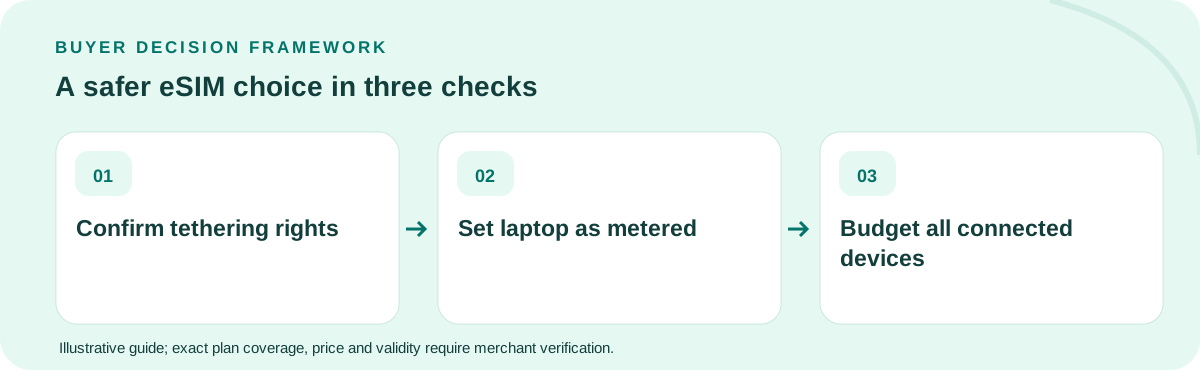
Check whether the exact purchased eSIM permits hotspot use. On the phone, confirm the travel profile is the active data line. On connected devices, set the Wi-Fi connection as metered where supported, pause large cloud sync jobs, and check automatic backup settings before making the hotspot available.
What to do before departure or purchase
The plan must also account for battery and heat. Sharing mobile data can drain the phone, and a weak rural signal may worsen battery consumption. Consider a charging source and a second connection for critical video meetings rather than assuming one phone can replace office broadband.
Worked example with explicit assumptions
Illustrative planning: 100 MB for email, 250 MB for documents and 900 MB for a video meeting consumes 1.25 GB in one work session. A 5 GB travel allowance can therefore disappear after only a few similar days, even if messaging on the phone remains minimal.
Common mistakes to avoid
The most common error is measuring only Android app usage while ignoring traffic from tethered clients. Another is believing “unlimited” means unlimited full-speed hotspot; some plans apply device-sharing or fair-use limits that differ from phone data use.
What would change the answer?
On a laptop, check cloud storage clients, operating-system updates, photo services, browsers with preloading and corporate backup agents separately. They can transfer data even when the active browser tab is idle. Ask IT before changing managed settings. A “metered connection” label may reduce some downloads but is not a hard firewall or financial cap on the eSIM.
Five-item decision worksheet
| Check | What to verify |
|---|---|
| Eligibility | Confirm the exact device, activation method and covered destination(s) against the retail product, not a country-average study. |
| Validity | Work backward from the situation described in this guide: A remote worker connects a laptop during a train transfer to send one email. Check when the clock starts and the last active day. |
| Usage | Estimate the full-speed GB or communication capabilities this particular itinerary needs; include hotspots, essential apps and an emergency buffer. |
| Economics | Compare current final payable totals only among options that meet every requirement; treat any arithmetic example here as hypothetical. |
| Fallback | Before departure, consider this failure mode: The most common error is measuring only Android app usage while ignoring traffic from tethered clients. Keep the seller’s support instructions available offline. |
Which option should you buy?
Estimate laptop activities separately from handset use, make your laptop connection metered, and confirm hotspot rights on the current SKU. Buy for the combined requirement and keep a contingency for the day that the primary network becomes unstable.
Can I use a travel eSIM for laptop hotspot?
Only if the chosen plan and device permit tethering. Laptop traffic counts toward whatever full-speed or total allowance the product specifies.
Primary technical/regulatory reference: official guidance for this topic. This source provides background, not a verification of any live TripoSIM SKU. The scenarios, prices and quantities in this guide are illustrations, not tested carrier offers. Every product's eligibility, data, voice, coverage, activation, fair use and current final price must be checked with the seller before purchase.
Ownership: This website is commercially affiliated with TripoSIM. It does not claim independent testing, neutrality or live catalog pricing. See research methodology.