
What should you do?
Remote workers should size eSIMs around their worst workday: meeting hours, file transfers, hotspot eligibility and fallback connectivity.
Use the three-stage decision framework below, then confirm the exact purchasable TripoSIM plan at checkout. This website is owned by BroadNet and promotes TripoSIM; it is not an independent multi-provider marketplace.
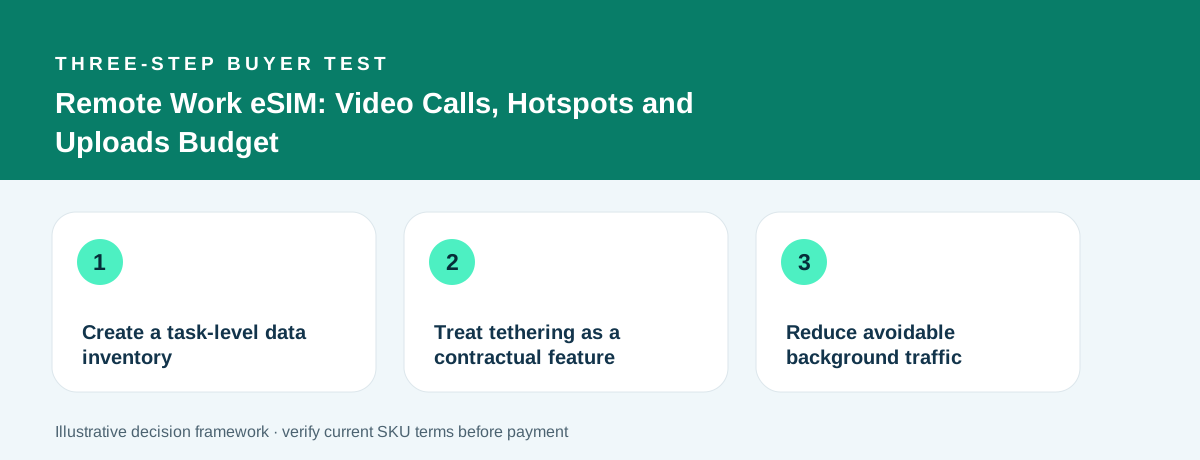
Create a task-level data inventory
Record your previous video-meeting usage where possible; rates vary dramatically by resolution, participant count, screen sharing and application. Add file uploads, collaboration apps, backup sync and ordinary browsing. Do not rely on a universal “GB per Zoom hour” number.
A transparent hypothetical day might include 1.2 GB for meetings, 0.8 GB for file transfers and 0.3 GB for general activity, totaling 2.3 GB before cloud backup. Five such days would require 11.5 GB. This is a planning example, not a measurement of any specific app.
Compare this with the plan’s per-day full-speed limit and total validity. A 10 GB plan might be adequate for a short mixed-work trip, while the same plan can be insufficient for a week of heavy video collaboration.
Treat tethering as a contractual feature
Test whether the product permits Personal Hotspot or tethering before choosing a one-device eSIM for laptop use. Phone battery, thermal behavior and signal quality can influence the practical experience when sharing a connection.
On iPhone, check the Personal Hotspot settings and the actual carrier/service plan. On Android, use the device’s supported hotspot controls. If the seller restricts tethering, a hotspot menu appearing on the device does not override that policy.
For critical meetings, prepare a second connection method such as trusted Wi-Fi, a coworking site or another authorized data plan. Two independent paths reduce the chance that one coverage problem blocks the day.
Reduce avoidable background traffic
Cloud sync, operating-system updates and large media galleries can consume data while you are focused on work. Use metered connection settings, pause heavy backups and prepare downloads on Wi-Fi before leaving the accommodation.
Apple’s Low Data Mode can reduce background network activity, but does not convert a small plan into an unlimited one. Device controls should supplement a correctly sized allowance.
After each workday, check actual usage by line and revise the remaining-day estimate. If usage is consistently higher than planned, confirm the cost and timing of top-ups before reaching zero.
A decision you can use today
Choose a product only after you can answer the three questions above with evidence from its own listing. A useful outcome may be to keep your existing roaming plan, purchase a destination-specific eSIM, or choose a larger valid data allowance. The right answer depends on your actual itinerary and requirements.
Ready to compare current offers?
Use our existing buyer tools to work out your needs, then inspect the current TripoSIM plan details. Historical country observations are not final checkout prices.
Open the decision tools →View TripoSIM plans ↗Sources and editorial notes
Research method: source-specific technical guidance plus transparent arithmetic illustrations. None of the examples are independently measured customer usage, live supplier quotes or device tests. Reviewed 4 November 2026.